
Kimsuky Deploys AI-Assisted Chrome Extension to Steal Gmail Data in Japan, South Korea

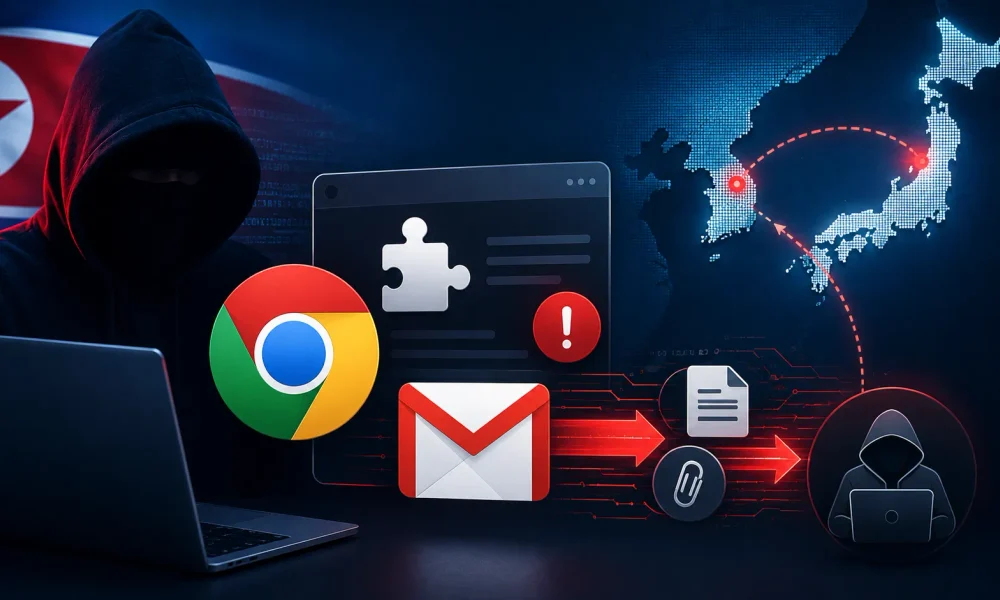
North Korea-linked threat actor Kimsuky has been observed targeting organizations in South Korea and Japan through sophisticated spear-phishing campaigns that combine malicious Windows shortcut files, PowerShell payloads, legitimate remote-access software, and a potentially AI-assisted Chrome extension designed to steal Gmail messages and attachments.
According to ENKI, the campaign demonstrates how the group is combining customized malware with legitimate utilities and commodity techniques to maintain access, collect sensitive communications, and reduce the likelihood of detection by conventional security products.
The campaign begins with targeted phishing emails containing OneDrive sharing links that lead victims to ZIP archives. Inside the archives are malicious Windows .lnk shortcut files disguised as legitimate documents, including Japanese-language political content and event-related material.
Kimsuky Deploys AI-Assisted Chrome Extension
When a victim launches a shortcut, it executes a hidden PowerShell command, opens a decoy PDF to make the activity appear legitimate, downloads a VBScript payload, and executes it from the victim’s AppData directory.
The VBScript establishes communication with attacker-controlled command-and-control infrastructure and uses the infected system’s MAC address as an identifier.
It then retrieves and executes PowerShell code directly in memory. This architecture gives Kimsuky operators flexibility to modify payloads remotely without repeatedly delivering new malware files.
Persistence is established through a scheduled task named Chrome_Update, configured to execute every 15 minutes, allowing malicious PowerShell activity to continue after the initial compromise.
Once established, the malware performs host reconnaissance and collects information about installed security products.
Researchers also identified scripts specifically designed to harvest locally stored email data. A Thunderbird-focused collector extracts recent mailbox information from mbox archives and converts individual messages into .eml files.
An Outlook collector reportedly targets inbox and sent messages dating from January 1, 2026, collecting message content, metadata, and attachments and storing them in directories associated with individual accounts.
The campaign also incorporates a keylogging capability implemented through inline C# code compiled directly in memory.
Captured keystrokes are stored in %AppData%\Microsoft\ttmp1.log, allowing another component to collect the information later.
Using memory-based execution and scripting reduces the attacker’s reliance on traditional compiled binaries, potentially making some malicious activity harder for endpoint security products to identify.
The most notable component is a Manifest V3 Chrome extension named “Gmail 자동 서버 업로더,” meaning “Gmail Automatic Server Uploader.” The extension requests <all_urls> host permissions and injects JavaScript into matching websites.
When operating on Gmail, it monitors both message-reading and composition interfaces. It can collect email metadata, message contents, sender and recipient information, and attachment links.
Attachments are retrieved through browser requests, encoded in Base64, and passed to a background service worker before being transmitted to attacker-controlled infrastructure hosted through a free Japanese hosting service.
ENKI researchers noted Korean-language comments, debugging strings, and Unicode emoji characteristics within the extension that they assess as possible indicators of generative-AI-assisted development.
These artifacts do not independently prove that the malware was autonomously generated, but they suggest that AI tools may have helped accelerate development of functional browser-based data theft capabilities.
Kimsuky also leveraged legitimate remote-access applications, including Chrome Remote Desktop and AnyDesk, to maintain interactive access.
In one case, attackers reportedly used fodhelper.exe to bypass User Account Control and install Chrome Remote Desktop with attacker-controlled credentials. Another component installed AnyDesk, established scheduled-task persistence, and attempted to conceal application windows and system-tray indicators.
The campaign highlights the importance of monitoring both traditional malware indicators and legitimate software abuse.
Defenders should investigate unexpected scheduled tasks invoking PowerShell or wscript.exe, unauthorized remote-management tools, unfamiliar Chrome extensions, and browser extensions requesting excessively broad permissions.
Organizations should also treat OneDrive-delivered archives and disguised LNK files as high-risk, particularly when they arrive through unsolicited or unusual communications.
Restricting script execution, enforcing application controls, monitoring browser extensions, and strengthening email security can help reduce the risk posed by Kimsuky’s evolving intrusion techniques.



No Comment! Be the first one.